The Peaky Look: Why Your Webcam Turns You Green in a Normal British Home Office

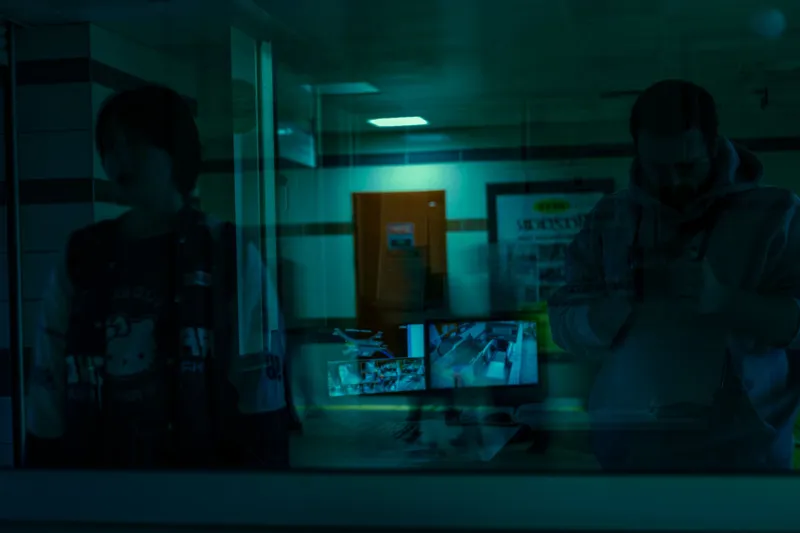
Photo: Stefanpavelka, CC BY 4.0, via Wikimedia Commons
Open a video call in a spare bedroom in Leeds or a box room in Bristol and there is a decent chance you will be greeted by a version of yourself that looks like a Victorian ghost with a touch of food poisoning. The culprit is rarely the webcam alone. It is the camera's automatic systems trying to make sense of a room that was never designed for broadcast.
Your camera is guessing, and guessing badly
Every webcam runs automatic white balance. It looks for something neutral in the frame and adjusts the colour channels until that thing looks white. In a room with a warm LED desk lamp on one side and cool grey window light on the other, there is no single correct answer. The camera picks one, commits to it, and your skin pays the price. Green is often the residue of a correction that has gone too far: the camera tries to cool down an orange bulb, overshoots, and leaves your complexion looking seasick.
Automatic exposure adds to the confusion. If there is a bright window behind you, the camera dims the whole image to stop the window blowing out, which turns your face into a muddy silhouette. It then lifts the shadows aggressively, creating noise, and the noise reduction smears colour across your cheeks. That is why a cheap webcam in a difficult room can make a healthy person look like they are recovering from something nasty.
The British home office is a lighting obstacle course
A Victorian terrace with a bay window is a lovely place to live and a difficult place to film. A south-facing window in November can be a searchlight at 2pm and a puddle of grey by 4pm. Mix in a 2700K desk lamp, a 4000K ceiling bulb and a green spare-room wall, and the camera has three competing stories about what white looks like. Add a kitchen fluorescent strip visible through an open door and you have a full-blown colour argument.
It is not about needing studio gear. It is about giving the camera fewer bad choices. Most of the fixes below cost nothing, and the ones that cost money are modest.
First, remove the competition
Start by turning off the overhead light. A single ceiling fitting above and slightly behind you is a classic cause of shiny foreheads, raccoon eyes and a weird green cast as the camera tries to balance warm ceiling light against cool daylight. Use one desk lamp instead, placed in front of you and slightly to one side, roughly 45 degrees off your nose. If the bulb is bare, diffuse it with a frosted shade or bounce it off a nearby wall. Do not put a lamp directly behind you unless you are aiming for a silhouette.
Next, deal with the window. Sitting with a bright window behind you is the fastest way to look like a witness in a police reconstruction. Close the curtain, lower the blind or move your desk so the window is to your side. If the window is in front of you, a sheer net curtain or a half-closed blind will soften the light without turning the background into a white void.
Then give the camera a fair fight
Many webcam apps and manufacturer utilities include an auto white balance toggle. Turn it off if you can, then nudge the temperature slider until skin looks like skin rather than something from a hospital drama. The same goes for exposure. Locking exposure stops the camera from constantly hunting as clouds move or a lamp flickers. If your app has no manual controls, you can still improve things by moving the lamp and changing the background. A plain grey or off-white wall behind you is less likely to confuse the camera than a green painted wall, a bright poster or a shelf full of colourful books.
A white mug or a sheet of printer paper held briefly in the frame can help you judge the cast. If the paper looks green, the whole image is green. If it looks pink, the camera has overcorrected the other way. Do not leave the paper in shot during the call unless you want to look like you are presenting a very dull art project.
The cheap fixes that actually work
- Put one diffused lamp in front of you, not behind you. A modest desk lamp with a frosted shade is enough.
- Match your bulbs. Two 2700K lamps will behave better together than one warm bulb and one cold ceiling light.
- Sit at an angle to the window rather than facing it or turning your back on it.
- Keep the background boring. Neutral walls and soft furnishings are kinder than green paint and glass cabinets.
- Raise the webcam to eye level. Looking down at a laptop screen catches ceiling light and makes nostrils the star of the show.
- Clean the lens. A smudged phone or webcam lens adds haze and flare, which makes colour problems harder to judge.
- Turn off aggressive low-light compensation if it turns your face into a watercolour painting.
What not to buy
You do not need a ring light, a pop-up studio or a dedicated camera to look normal on a Teams call. A ring light can flatten features and create a distracting halo in a small room. A better first purchase is a decent desk lamp with a diffuser, or a pair of matched bulbs. If you are buying a webcam, look for a larger sensor and manual white balance controls rather than a headline 4K resolution. A 4K webcam in a dim room is still a tiny sensor in a dim room, and it will still struggle.
A five-minute reset routine
- Open your camera preview and look at your face, not the corner of the screen.
- Turn off the overhead light.
- Place one lamp in front of you and slightly to one side. Diffuse it if the bulb is visible.
- Close the curtain or lower the blind behind you. If the window is in front, soften it.
- Lock white balance and exposure if your software allows it.
- Put a plain wall or a bookshelf behind you, not a window or a green wall.
- Check a white mug or sheet of paper for colour cast, then adjust the lamp or settings.
- If you still look green, move the lamp, change the background or try a different room.
The goal is not a broadcast studio. It is to stop your webcam arguing with three light sources at once. In a normal British home, that alone can turn a peaky-looking video call into something that looks like you.