The Dimming You Pay For: What a Privacy Screen Really Does to Your Laptop
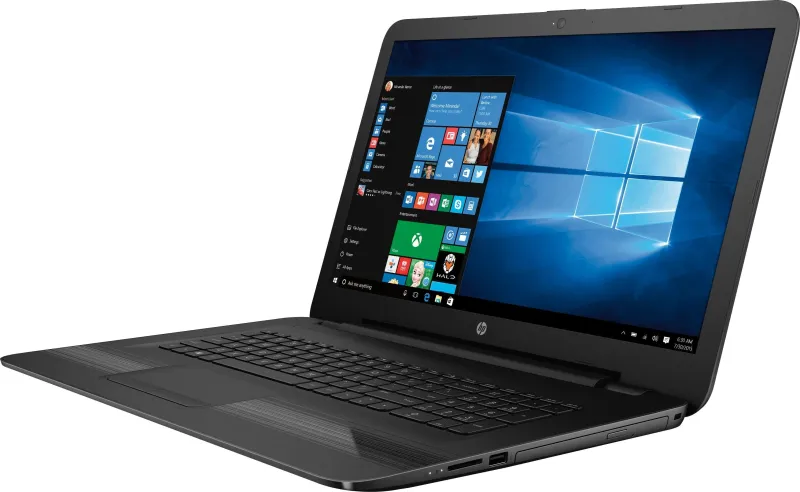
Photo: laptop privacy filter screen open plan office, via pisces.bbystatic.com
You have probably seen the effect on a train: someone is working on a laptop, and from the aisle their screen looks almost black. Move round to the seat beside them and the document appears. That is the basic promise of a privacy filter, and it is a genuinely useful trick. The trouble is that the trick is not free. A privacy screen is an extra layer between you and the display, and it takes payment in brightness, colour accuracy, touch response and sometimes glare.
This is not a case for avoiding them altogether. If you handle payroll, patient notes, client files or anything else that should not be read by the person at the next desk, a filter can be a sensible £25–£60. But it is a buying decision, not an accessory afterthought. Here is what you are actually trading away.
What the filter is doing in the first place
Most laptop and monitor privacy filters use a micro-louvre film. Think of tiny Venetian blinds built into a plastic sheet. Light travelling straight ahead gets through; light heading off at an angle is blocked or heavily dimmed. That is why the screen goes dark when viewed from the side. Some filters are glossy, some matte, and some combine the privacy layer with an anti-glare coating. You can buy adhesive versions that stick to the display, magnetic ones that cling to a metal bezel, and clip-on frames for monitors.
None of this is encryption. A privacy filter does not stop someone photographing your screen from behind you, and it does not protect a laptop that has been left unlocked. It narrows the viewing angle. That is the whole job.
The brightness tax is real
Every layer costs light. Depending on the filter, you can expect a noticeable drop in perceived brightness — often enough that a laptop which felt fine at 40% now needs 70% or more. On a dim commuter train that may be tolerable. In a bright UK office with windows down one side, or on a table outside a café, it can turn a perfectly usable screen into a squint.
This matters more on cheaper laptops. A budget panel that already struggles at 250 nits does not have much headroom to lose. The filter goes on, the backlight ramps up, and battery life takes the hit instead. Before buying, set your laptop to the brightness you normally use in your worst realistic location — the 07:42 to Leeds, a hot-desk by the window, the kitchen table with a skylight above it. Then hold the filter in place and see whether the screen still works for you. If you have to max the brightness just to read a spreadsheet, the filter is telling you something.
Colour shift is not just a side effect
From straight on, a decent privacy filter may look only slightly darker or a touch warmer. From an angle, colours can swing dramatically — skin tones go muddy, blues turn grey, white pages look dingy. That is by design, but it can be distracting if you move your head while working. It also makes privacy filters a poor choice for anyone doing colour-critical work on that display. If you edit photos, grade video or judge print proofs, do not put a privacy film on your main screen. Calibration cannot restore the viewing angle or the contrast that the filter has removed.
For general office work, the on-axis shift is usually manageable. For design work, it is a compromise too far. If you need privacy and colour accuracy, the better answer is a separate privacy monitor or a screen that physically faces away from traffic.
Touch, stylus and the feel of the thing
On a touchscreen laptop or tablet, a privacy filter adds thickness and changes the surface. Capacitive touch usually still works, but it can feel less immediate, and some cheaper films make swipes and taps feel slightly draggy. With a stylus, the difference is more obvious: extra parallax, more friction, and sometimes a softer pen-to-pixel connection. If you draw or take handwritten notes, try a removable or magnetic filter before committing to adhesive.
Glare can go either way
A matte privacy filter can knock down reflections from ceiling lights and windows, which is welcome in a typical British office where the sun appears at a low angle and then vanishes. But matte layers also scatter light, which can make fine text look slightly soft. A glossy privacy filter preserves punch but can turn the screen into a mirror. Neither is automatically better; it depends on where you sit. Check for shimmer on small text and patterns, too. Some micro-louvre films interact badly with fine pixel grids.
Who genuinely benefits
Privacy filters make most sense where the screen is regularly visible to strangers and the content is genuinely sensitive. Open-plan hot-desking, HR meetings in shared rooms, NHS reception areas, finance teams, train carriages and shared kitchen tables all qualify. They are also useful if you work facing a corridor or a queue.
They make less sense if your screen already faces a wall, if you mostly work alone, or if the main risk is someone seeing a login screen rather than a customer database. A filter is one layer of defence, not a substitute for locking your screen when you step away, using a privacy setting on video calls, or simply angling the laptop away from the room.
A sensible UK buying checklist
Buy for your exact model where possible. Universal films often cover bezels, sensors or the webcam, and trimming them neatly is harder than it looks. Check the aspect ratio as well as the diagonal size — a 14-inch laptop is not automatically a 16:9 panel. If you order online, keep the backing sheet and packaging until you are sure, and check the retailer’s returns policy before peeling anything adhesive. A filter that is faulty is one thing; one you have stuck down and changed your mind about is another.
Finally, test in the place you actually work. Look at the screen straight on, then from 30–45 degrees to confirm the privacy effect. Type for ten minutes. Open a white document and a photo. If the screen still feels clear, bright enough and comfortable to touch, the filter is doing its job. If you are constantly reaching for the brightness keys, it is not a bargain — it is a dimmer switch you paid for.